Importing a document to a tax return
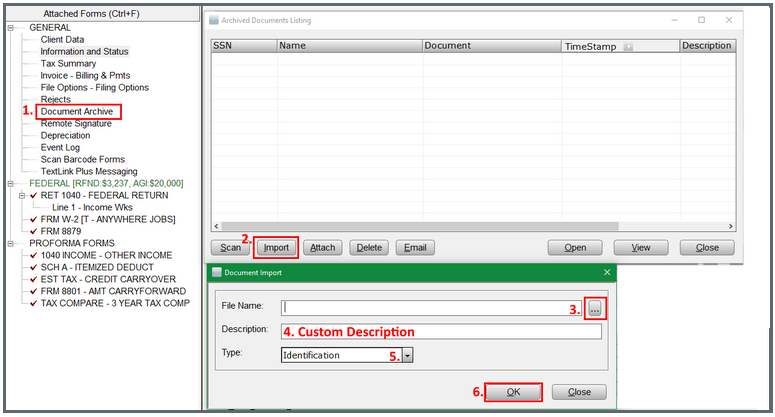
The following steps provide how to import a document into a return:
- Open the return to import a document into, then go to the Document Archive.
- Once the Archived Documents Listing window opens, choose Import button.
- Browse to the file to add using the box with 3 dots (MAX 5mb).
- Give the file a custom description.
- If desired, choose a file type from the drop down list.
- Click on the OK button to save the document to the return.
- The imported file can be Viewed from the Archive Documents Listing window.
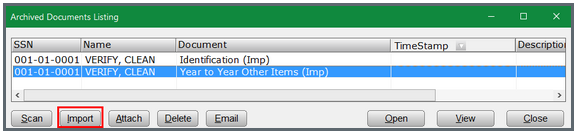
Proforma Documents (Process of bringing Archive Documents forward from prior year)
- Identification
- Year to Year Other Items
'Imp' indicates files imported manually using the Import button
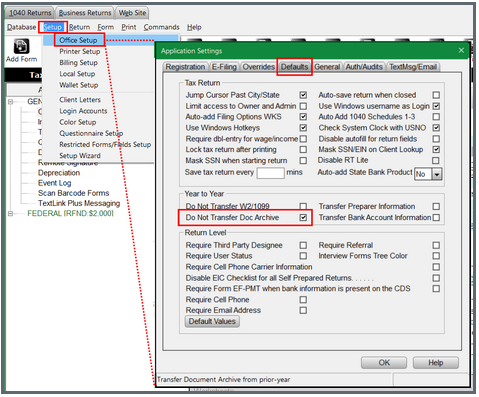
The program can be configured to NOT pull documents forward Year to Year.
Setup > Office Setup > Default tab > Year to Year section