- Help Center
- Desktop Software
- Ancillary Products / Services
Not able to Capture Remote Signature
Remote signatures
Enabling the Remote Signature Function
The Auto-rotate Function
If the Auto-rotate is disabled, there will be no detection for signature prompt.
Android
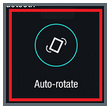
Look for an icon for Auto-rotate and turn it on.
iOs (Apple)
Pertaining to an iOs, the Auto-lock rotate setting is located in the lower section of the screen. Swipe up from the bottom to view as shown in the image below. It shows the Auto-lock rotate that must be "selected."