
Startup Abort!!! Db2File or Abt (Software CRC error) Error: (020)
Symptoms
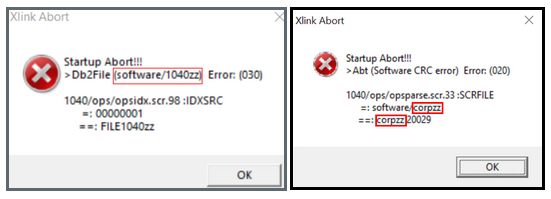
When opening the program, an error message similar to the following appears:
Startup Abort!!!
Cause
This can occur when the program is updated on a network while the program is open on another workstation.
IMPORTANT: If all users have their own individual login ID for the program, the program will generate a warning that users are logged in. When all users share a single login ID, the program cannot generate the warning.
Resolution
Delete the affected file or uninstall and reinstall the program.
Resolution 1 ~ Remove the affected file:
- Open Windows Explorer.
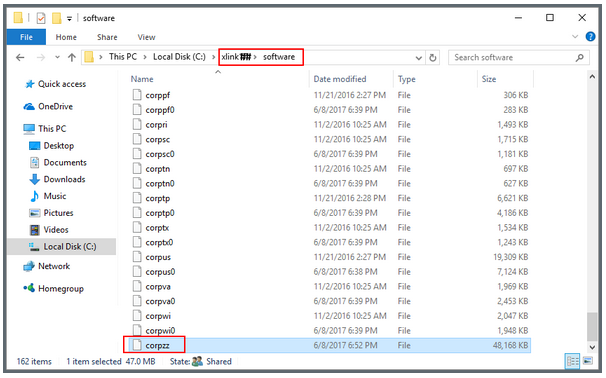
- Navigate to the xlink## > Software folder.
- Select the file referred to in the error and delete the file
In the example error Symptoms above, the file referred to is 1040zz and/or corpzz
is another file that could be affected & should be deleted.
4. Re-Start the program.