![TSS Logo-RGB-Lime Green-Transparent.png]](https://myerosupport.com/hs-fs/hubfs/TSS%20Logo-RGB-Lime%20Green-Transparent.png?height=40&name=TSS%20Logo-RGB-Lime%20Green-Transparent.png)
Cause
This error message can occur due to the following reasons:
- The User ID entered in the program is incorrect.
- The Transmission Password entered in the program is incorrect.
Resolution
Enter the correct User ID and/or Transmit Password located in the email received with login credentials.
Resolution 1
Verify the User ID is configured correctly:
- Log in to the program as a user with Administrator rights.
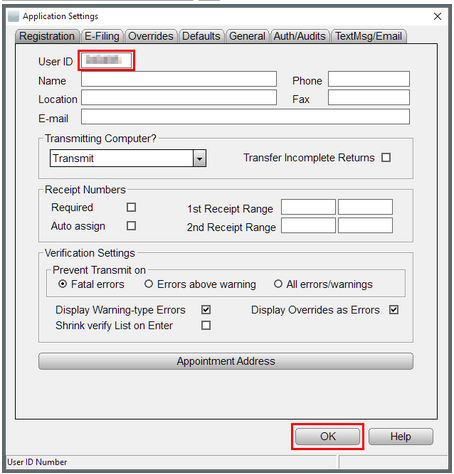
- From the top menu, select Setup > Office Setup.
- In the User ID field, enter the User ID to be used.
- Click OK to save the change.
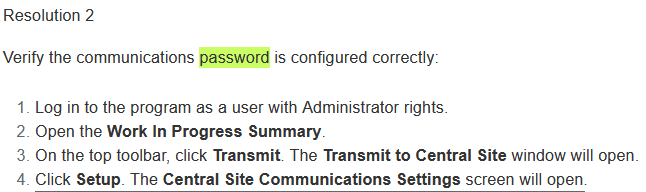
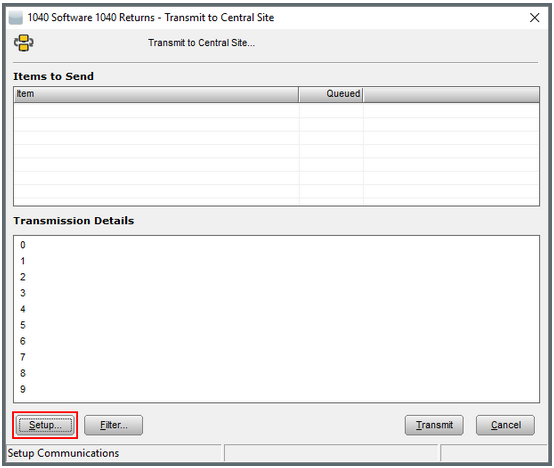
5. In the Password field, enter the transmission password. NOTE: This password is case-sensitive.
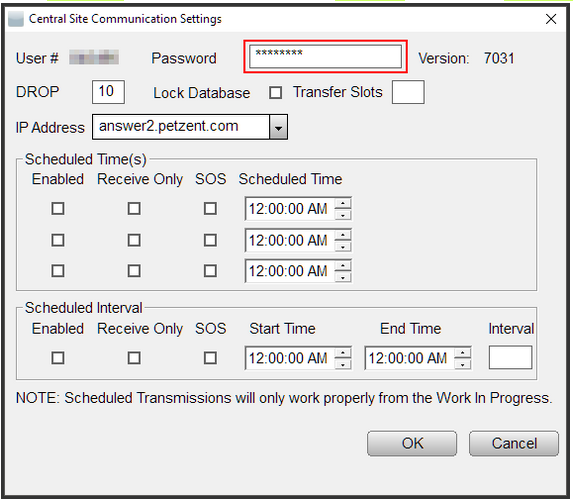
6. Click OK to save the change.
If the correct User ID and password have been configured, communication will now be successful.