![TSS Logo-RGB-Lime Green-Transparent.png]](https://myerosupport.com/hs-fs/hubfs/TSS%20Logo-RGB-Lime%20Green-Transparent.png?height=40&name=TSS%20Logo-RGB-Lime%20Green-Transparent.png)
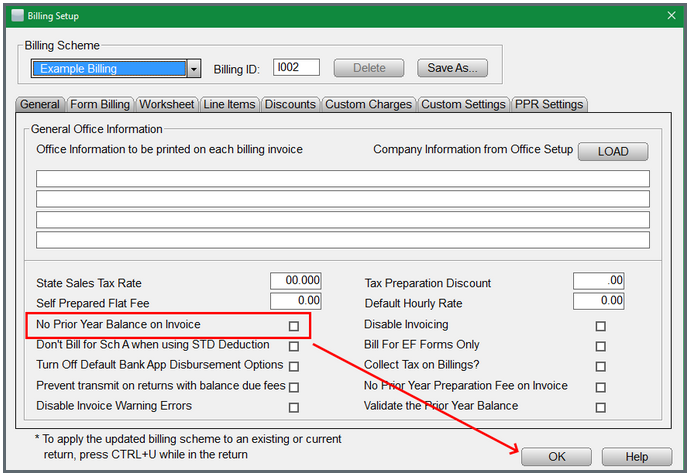
The following short steps provide how to add or remove the prior year balance on the invoice:
- From within the program select Setup> Billing Setup.
- From Billing Setup, check or uncheck the No Prior Year Balance on Invoice under the General tab.
- Click OK to save changes.