- Click on database>EF Originators
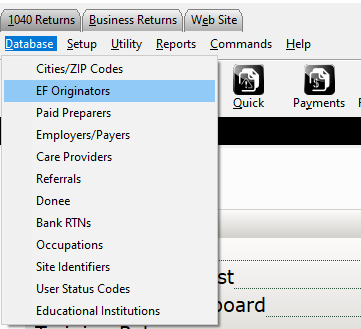
- Select the correct EFIN and select edit or enter the efin number at the top and click add

- Fill out the card as completely as possible. *This should match what is on the efile summy page for this EFIN.
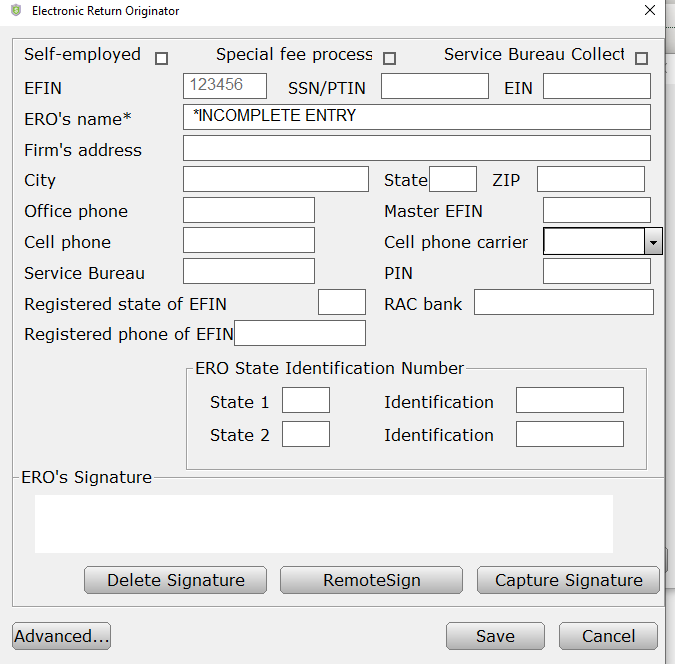
- After filled out have the ERO sign the record through there preferred method of signing.
- Save the record.
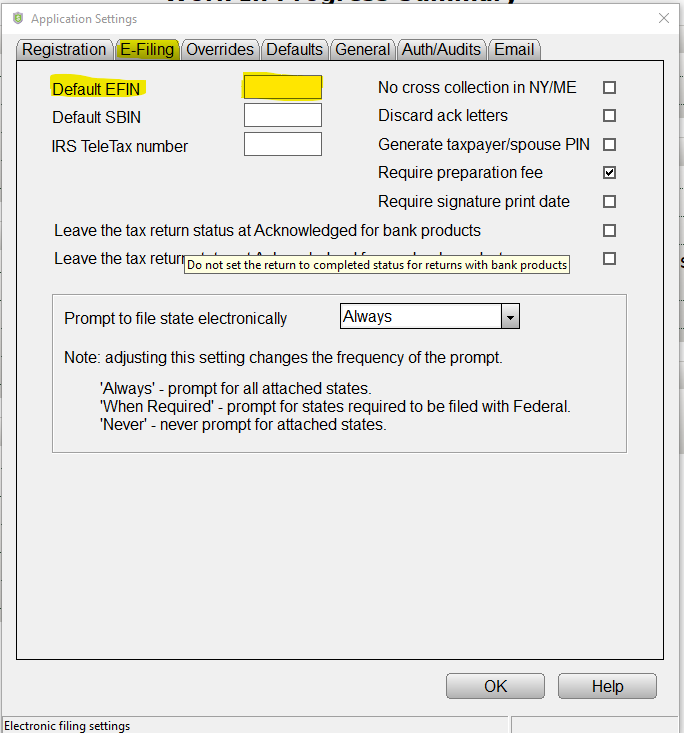
- If this is going to be the default EFIN used on returns set it as the Default EFIN in Setup>Office Setup>E-Filing tab
English
![TSS Logo-RGB-Lime Green-Transparent.png]](https://myerosupport.com/hs-fs/hubfs/TSS%20Logo-RGB-Lime%20Green-Transparent.png?height=40&name=TSS%20Logo-RGB-Lime%20Green-Transparent.png)