- From the Work In Progress
- Select Utility
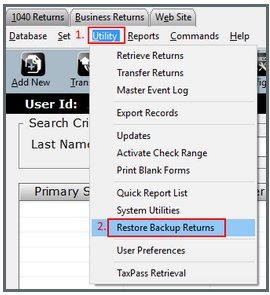
- Then select Restore Backup Returns from the drop down window.
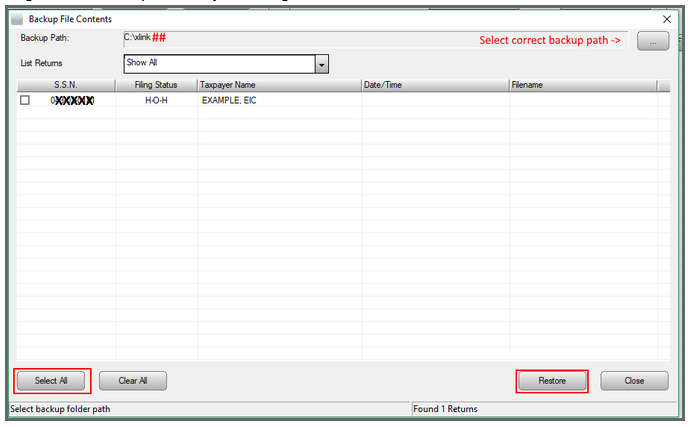
- Verify the backup path is correct & change if needed by hitting the
 button.
 - Select All if all returns on the list are needed to be restored or put check marks beside the returns that require the restore.
- Begin the Restore process by selecting the button.
English
![TSS Logo-RGB-Lime Green-Transparent.png]](https://myerosupport.com/hs-fs/hubfs/TSS%20Logo-RGB-Lime%20Green-Transparent.png?height=40&name=TSS%20Logo-RGB-Lime%20Green-Transparent.png)